
Here is the fact that makes every GTA 6 error code easier to deal with: GTA 6 does not have error codes of its own. Every code on your screen belongs to your console – Sony’s on PlayStation 5, Microsoft’s on Xbox – and each platform holder publishes its own meaning and fix. Rockstar’s GTA 6 error troubleshooting article lists no codes at all; it simply links console players to PlayStation’s error-code page and Xbox’s error-code search. So look up what Sony or Microsoft says your code means, follow their steps in their order, and ignore the diagnostic guesswork circulating on guide farms this week.
This page collects every code GTA 6 players are actually meeting at launch, with the platform holder’s own wording and fix for each. If your code is the big one — CE-108255-1, the PS5 crash — we have a dedicated deep dive: GTA 6 error CE-108255-1 and how to fix the PS5 crash. If your game misbehaves without showing a code, start with our GTA 6 not working guide instead.
Last updated: 23 November 2026.
At a Glance
- Every GTA 6 error code is a Sony or Microsoft platform code — Rockstar has acknowledged none of them and publishes none of its own. (Confirmed: Rockstar Support; PlayStation Support)
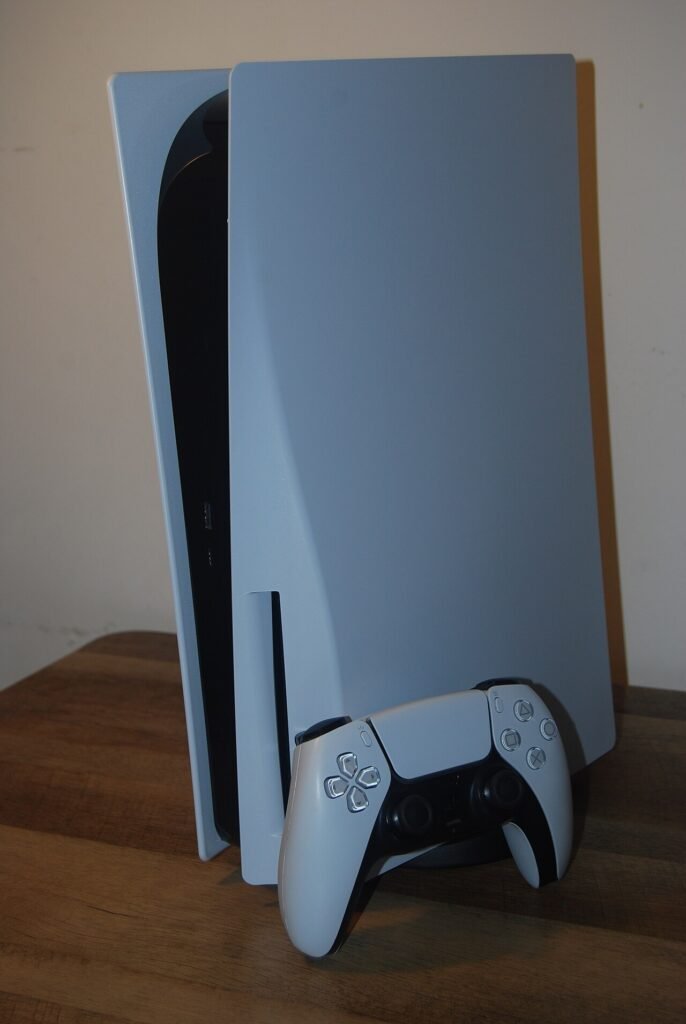
- On PS5, the codes cluster into four launch problems: the crash (CE-108255-1), licence checks (CE-109258-5, CE-109245-1), system software (NP-102944-0, WS-116522-7) and install/start failures (CE-107891-6, CE-109573-5, CE-107857-8). (Confirmed: PlayStation Support)
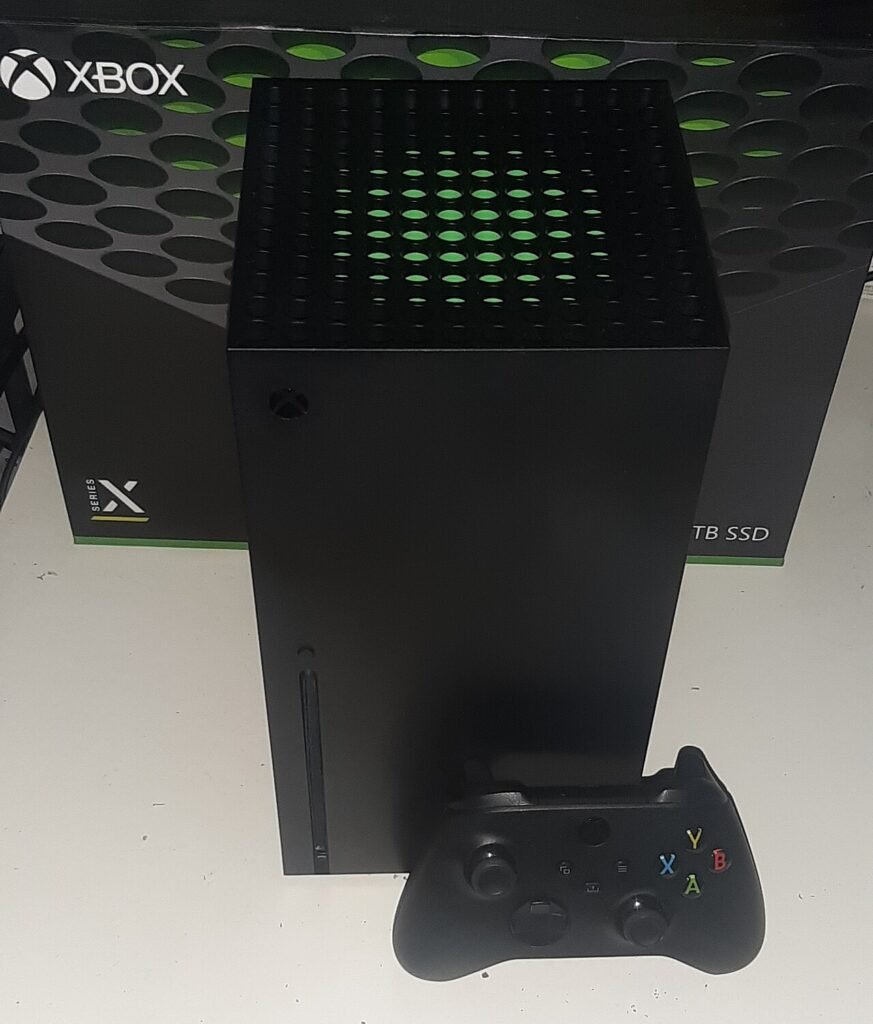
- On Xbox, the two codes that matter are 0x803F8001 (“Do you own this game or app?” — a licence check) and 0x87E0000F (“Installation stopped”). (Confirmed: Microsoft)
- The first two letters of a PS5 code say whose system is complaining: CE is a common console/software error, NP is PlayStation Network, WS is a web-service error.
- Work a code’s official steps in order, and stop at platform support if the code survives them — or appears across several games.
PS5 Error Codes
| Code | What Sony says it means | Sony’s fix | The launch problem it belongs to |
|---|---|---|---|
| CE-108255-1 | “An error occurred with the game/application.” | Update the game; if it continues, PlayStation Repairs | The in-play crash — see our CE-108255-1 deep dive |
| CE-109258-5 | “Unable to connect to the server” — the licence information for the content wasn’t confirmed | Check the PlayStation status page; restart the PS5; router/modem off for at least 5 minutes; Restore Licences; try again later | Digital-copy licence checks failing, including during launch-night PSN outages |
| CE-109245-1 | “The license information of the content can’t be confirmed.” | Restart the PS5; sign in with the account that owns the game; turn on Console Sharing and Offline Play | Playing on an account or console that did not buy the game |
| NP-102944-0 | “Please install the latest system software.” | Update the PS5 over the internet, from USB or from a game disc | GTA 6 requires current system software to run |
| WS-116522-7 | The system software update failed | Restart and retry (wired or closer to the router, router off 5 minutes), or update from USB or a disc | The required system update refusing to install |
| CE-107891-6 | “Content isn’t installing properly on your PS5 console.” | Delete the game in Settings → Storage and reinstall it | The ~212 GB preload or launch download failing to install |
| CE-109573-5 | “An error occurred when starting the game.” | Restart; delete the game from the Game Library and reinstall; Safe Mode → Rebuild Database; Safe Mode → Update System Software | The game will not start at all |
| CE-107857-8 | “An error occurred while loading or updating the application.” | Restart; update the system software and the game; delete and reinstall; Safe Mode rebuild | Loading and update failures |
The crash code: CE-108255-1
The code most GTA 6 players are searching for has its own article, because the fix order and the player-reported workarounds need room: how to fix GTA 6 error CE-108255-1. The one-line version: it is Sony’s generic application-crash code, Sony’s official fix is to update the game, and no workaround yet works for everyone.
The licence codes: CE-109258-5 and CE-109245-1
These two look similar and are not the same problem. CE-109258-5 means the console could not reach the server to confirm your licence — a connection or PlayStation Network problem, which is why Sony’s steps start with the PlayStation status page and a router restart, and why it spiked during the launch-night outages. CE-109245-1 means the licence information itself cannot be confirmed — usually an account problem: you are signed in with an account that does not own the game, or the console is not set as the owning account’s shared console; Sony’s fix is in the table above. If you share a console, CE-109245-1 is almost certainly your code.
The system software codes: NP-102944-0 and WS-116522-7
GTA 6 will not run on outdated PS5 system software, so launch week produced both halves of that problem: NP-102944-0 tells you to install the latest system software, and WS-116522-7 tells you the update itself failed. For WS-116522-7, Sony’s route is to restart and retry — a wired connection or router restart helps — or update from a USB drive or game disc. Our GTA 6 day-one update guide covers the launch updates, and the preload guide covers getting the game down cleanly.
The install and start codes: CE-107891-6, CE-109573-5 and CE-107857-8
Three codes cover the game failing before you ever reach Vice City. CE-107891-6 is an installation failure — Sony’s fix is blunt: delete the game in Settings → Storage and reinstall it (see our GTA 6 download and installation problems guide first). CE-109573-5 means an error occurred when starting the game; Sony’s steps run restart → delete and reinstall → Safe Mode database rebuild → Safe Mode system software update. CE-107857-8 covers errors while loading or updating the application, with a similar restart-update-reinstall path. Deleting the game does not delete your saved data in any of the three cases.
Xbox Error Codes
Xbox shows plain-language messages more often than codes, but two documented Microsoft codes cover most of what GTA 6 players hit:
| Code | What Microsoft says it means | The fix |
|---|---|---|
| 0x803F8001 | “Do you own this game or app?” — the console cannot confirm the signed-in account owns the game or has access to it | Insert the disc if you own it physically; sign in with the purchasing account; check Xbox service status; restart the game; reboot the console |
| 0x87E0000F | “Installation stopped” — the console may lack the latest update, the Xbox service may be unavailable, or a connection problem or partial install blocked the download | Check Xbox service status and your connection; update the console; restart the install |
The Xbox licence check works the same way as PlayStation’s: the game files on the drive are not the licence — the purchasing account (or the disc) is. If someone else’s account bought GTA 6 on your console, that account’s Home Xbox setting is what lets you play: the Xbox equivalent of the PS5’s CE-109245-1 problem.
Xbox players also report a crash pattern with no code at all: a freeze of about thirty seconds, then a drop back to the Home screen, repeating every five to twenty minutes on Series X. (Reported: UNILAD Tech’s launch coverage.) With no code shown there is nothing to look up — use the general steps in our GTA 6 not working guide: fully quit the game rather than resuming it, restart the console, and install every pending game update. Player reports also mention odd behaviour around Quick Resume sessions and cloud saves at launch; neither Microsoft nor Rockstar has tied those symptoms to a code, so treat them as reported issues, not diagnoses.
How to Read a PS5 Code
The two-letter prefix is a rough map of where the problem lives: CE codes are common console/software errors, NP codes belong to PlayStation Network, WS codes are web-service errors, and NW codes are network errors. An NP or WS code during an outage is a “check the status page and wait” problem; a CE code on one game only is a “that installation” problem. Treat the prefix as a rule of thumb, not a Sony-published key.
When to Stop Troubleshooting
Work the official steps for your code in order — skipping straight to a reinstall wastes hours when a restart or licence restore was the answer. Stop and go to the platform holder when:
- The code survives every official step. On PS5, Sony’s path for persistent codes ends at PlayStation Repairs; on Xbox, at Xbox Support.
- The same code appears in several games. One game crashing points at that game or its installation; every game crashing with the same code points at the console, and no GTA 6 troubleshooting fixes a console problem.
- You are about to factory-reset. A reset is the last step in Sony’s sequence, not the first — players quoted in launch coverage reset over CE-108255-1 and still crashed. Back up your saves first, and read our CE-108255-1 guide before going near one.
And a word on sources: several sites this week publish elaborate per-code “diagnoses” — hardware-level explanations, storage figures, component names. None of it comes from Sony or Microsoft, whose own pages run a sentence or two per code, and none of it is in this guide. If a step cannot be traced to the platform holder, we label it Reported or leave it out.
FAQ
Does GTA 6 have its own error codes?
No. GTA 6 displays no error codes of its own — every code is Sony’s (on PS5) or Microsoft’s (on Xbox). Rockstar’s GTA 6 error article lists no codes and links players to PlayStation’s and Xbox’s own lookups.
What is the most common GTA 6 error code?
CE-108255-1 on PS5, the generic application-crash code (“an error occurred with the game/application”). Sony’s official fix is to update the game; our CE-108255-1 guide covers the full fix order and the player-reported workarounds.
What is the difference between CE-109258-5 and CE-109245-1?
CE-109258-5 means the console could not reach the server to confirm your licence — a connection or PSN problem. CE-109245-1 means the licence information itself cannot be confirmed — usually the wrong account signed in, or Console Sharing and Offline Play is not enabled for the account that bought the game.
My Xbox shows “Do you own this game or app?” — what does that mean?
That is error 0x803F8001: the console cannot confirm your account owns GTA 6. Sign in with the purchasing account, insert the disc if you own a physical copy, check the Xbox service status, and restart the game.
My code is not in the table. What now?
Search the exact code on PlayStation’s PS5 error-code page or Xbox’s error-code search — the same lookups Rockstar’s own support article points to. If the code appears there with steps, follow them in order.
Will deleting and reinstalling GTA 6 delete my progress?
No. On both consoles, saved data is stored separately from the game installation, so deleting the game to fix an install code (CE-107891-6, CE-109573-5) leaves your saves in place — though a cloud backup first is always sensible.
GTA 6 World Hub is an independent fan publication and is not affiliated with Rockstar Games or Take-Two Interactive.

Pingback: GTA 6 Error CE-108255-1: How to Fix the PS5 Crash